Less Typing per Vehicle
VIN decoding fills in the details your team would otherwise enter by hand.
Decode a VIN to fill in the vehicle's details, then generate a written description from those details and your dealership's information. Edit it anytime, and let it refresh every two weeks.
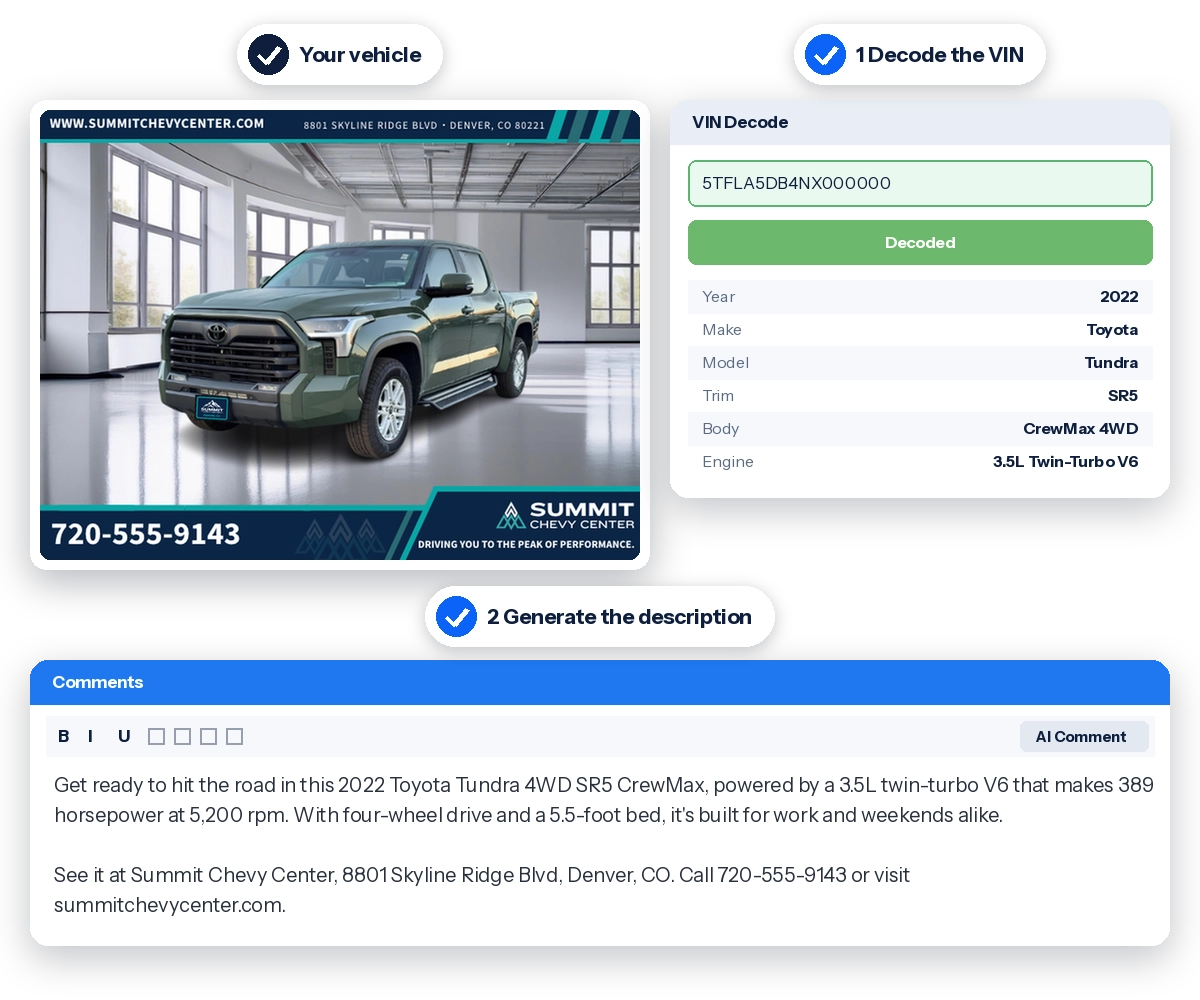
ListingBuilder is an add-on for IIManager and LotPix that handles two of the slowest parts of listing a vehicle: entering its details and writing its description. It includes both VIN decoding and AI vehicle descriptions, and works for new and used inventory.
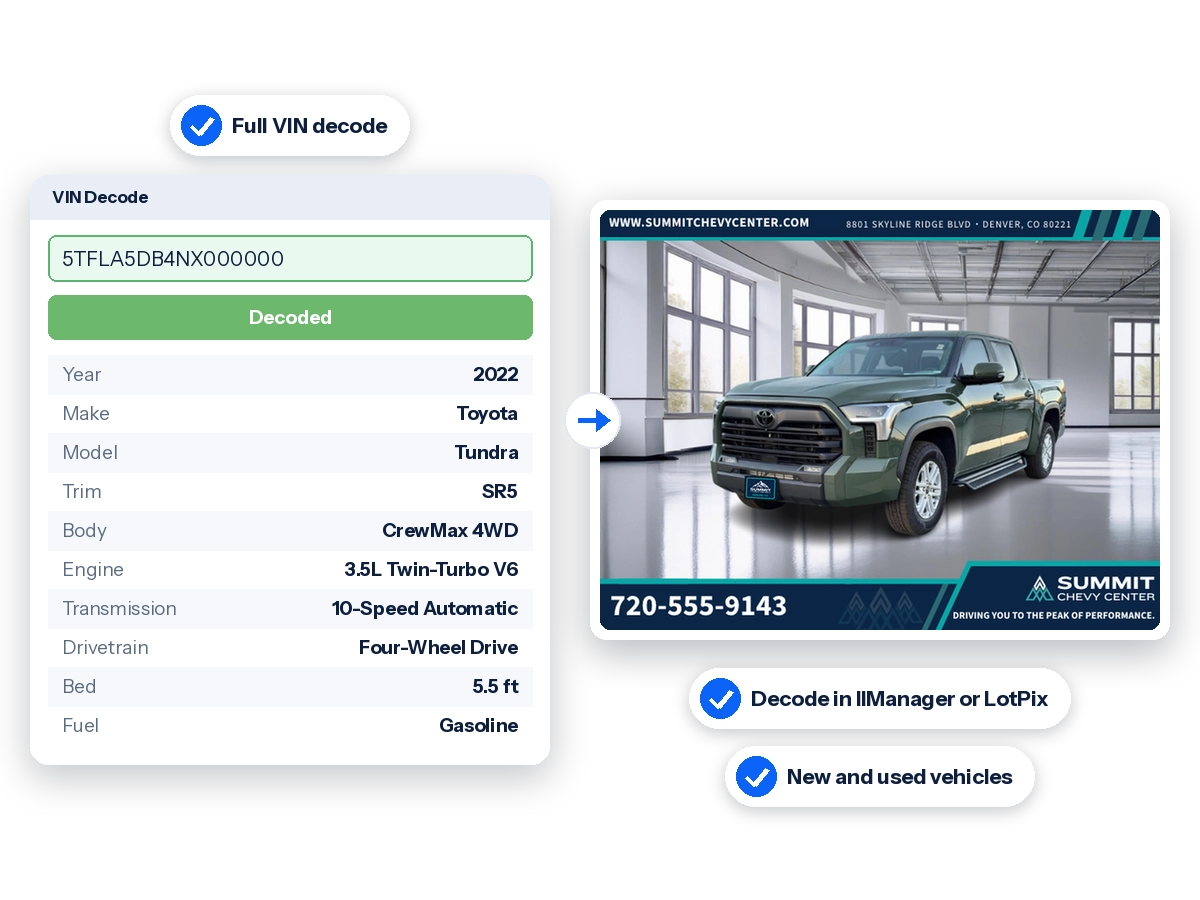
VIN decoding, using ChromeData, fills in the vehicle's details. The AI vehicle description combines those details with your dealership's name, location, phone number, and website to write the listing comments.
Select a vehicle already in IIManager or search for its VIN. You can also decode a VIN right from the LotPix app, either for a vehicle already in your inventory or by adding the VIN on the lot. LotPix doesn't have a built-in VIN scanner, so type the VIN or use your phone's built-in text scanning to fill it in.
Decoded details fill in automatically. Add or correct anything the decode didn't cover.
Generate it for one vehicle at a time, or set ListingBuilder to write descriptions automatically as vehicles are added.
Edit the description as needed. It appears on your website and goes out to the exports and channels you choose.
A full VIN decode from ChromeData fills in the vehicle's factory details, so your team doesn't type them by hand for every unit. The exact fields populated depend on the vehicle and available VIN data.
Without ListingBuilder, IIManager and LotPix can match a VIN to basic manufacturer data. ListingBuilder adds the full decode, which also powers the AI vehicle description.
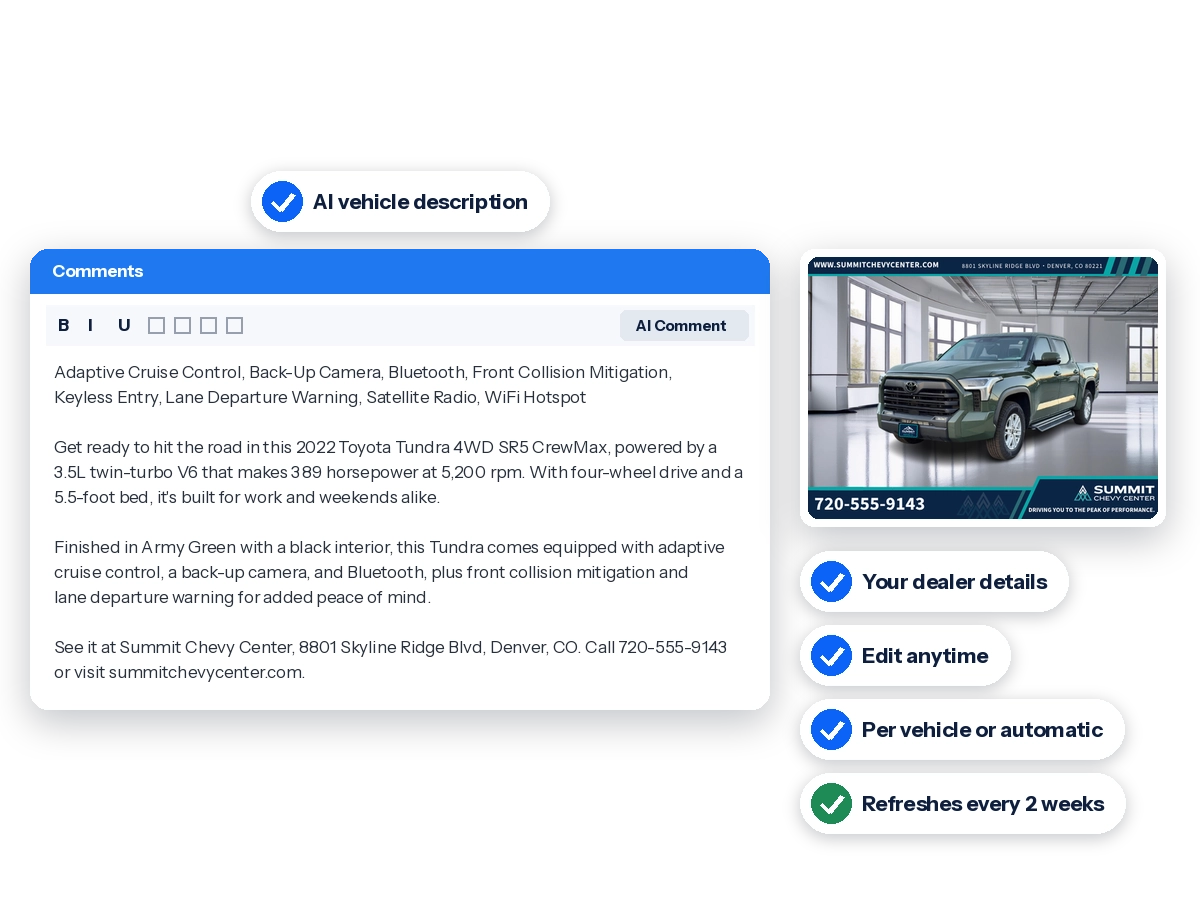
ListingBuilder writes a description for each vehicle from its details, so your listings don't repeat the same boilerplate.
Each description includes your dealership's name, location, phone number, and website, so shoppers know where to find the vehicle and how to reach you. Generate descriptions manually for each vehicle or automatically, and edit any of them before or after they're published.
Our team can also customize any part of your descriptions to fit your dealership, for an additional fee.
Every two weeks, ListingBuilder rewrites each vehicle's description using your format and the vehicle's current details. A vehicle that's been on your lot for a while gets new wording instead of the same comments it had on day one.
The description field shows on your website. For inventory exports, you choose whether descriptions are sent. Before broadcasting a vehicle to email, social media, or marketplaces, you can change the description or leave it out.
VIN decoding fills in the details your team would otherwise enter by hand.
Vehicles don't go live with blank or one-line comments.
Descriptions refresh every two weeks, so vehicles that have been on your lot for a while get new wording.
Decode VINs and manage descriptions where you already manage inventory and take photos.
Answers to common questions about VIN decoding, AI vehicle descriptions, editing and customizing descriptions, automatic refreshes, where descriptions appear, and pricing.
An add-on for IIManager and LotPix that decodes a vehicle's VIN to fill in its details and generates an AI-written vehicle description from that information.
The fields populated depend on the vehicle and the VIN data available. The complete field list will be added once confirmed.
Without ListingBuilder, IIManager and LotPix can match a VIN to basic manufacturer data. ListingBuilder adds a full VIN decode, which fills in more detailed vehicle information and powers the AI vehicle description. The complete field list is pending confirmation.
Yes. With ListingBuilder, you can fully decode a VIN right from the LotPix app. Select a vehicle that's already in IIManager, or add a new VIN and decode it on the spot. To enter a VIN, type it, or use your phone's built-in text scanning to read it from the windshield or door jamb.
The vehicle's details, along with your dealership's name, location, phone number, and website.
Your choice. Generate them one vehicle at a time, or set ListingBuilder to create them automatically.
Yes. You can edit any description manually, before or after it's published.
Yes. Our team can customize any part of your descriptions, including the tone, length, wording, and the dealership details included. Once it's set up, your custom format is added to your account, and every new description follows it. Customization is an additional fee.
Yes. ListingBuilder refreshes each description every two weeks, using your format and the vehicle's current details, so longer-listed vehicles don't keep the same wording. How this interacts with manual edits, and whether refreshes can be turned off, still needs confirmation.
The description field appears on your website. You choose whether it's sent in inventory exports, and you can change it or leave it out before broadcasting to email, social media, or marketplaces.
We recommend checking each description before it goes live. The AI writes from the information available, so confirm that features, condition, and history match the actual vehicle.
Yes. ListingBuilder works with both new and used inventory.
No. ListingBuilder includes both VIN decoding and AI vehicle descriptions, for one price.
ListingBuilder is an add-on with a one-time setup fee. Monthly pricing depends on your plan and how many vehicles you add each month. See the Get Started page for plans.
Download LotPix for iPhone or Android. An IIManager account is required.


From cleaner backgrounds to branded photos, find the tools that fit your dealership. Tell us what you need and our team will follow up with more information.
Share your contact information and the services you're interested in.