One Look Across Your Whole Inventory
Every vehicle gets the same background, frame, and branding, whether the photos came from a lot porter, a photographer, or the LotPix app.
Clean backgrounds, branded overlays, captions, VDP inserts, and SRP banners for every vehicle you list.

Shoppers pick which vehicles to open from the photos on your website and marketplace listings. Vehicle Image Studio gives every inventory photo a consistent, branded look with clean backgrounds, your dealership's logo and contact details, captions, marketing overlays, VDP carousel inserts, SRP banners, and AI vehicle descriptions.
The tools run inside IIManager, AutoRevolution's inventory management and CRM platform. Finished images go out with your inventory photos to your website, inventory exports, and marketplaces.
Every vehicle gets the same background, frame, and branding, whether the photos came from a lot porter, a photographer, or the LotPix app.
Photo overlays put your logo, phone number, website, and address on each image. When a shopper saves or shares a listing photo, your contact details go with it.
Captions and marketing overlays call out features like a backup camera, heated seats, or one-owner history directly on the photo, before a shopper reads the description.
Backgrounds and photo overlays are set up once for your inventory. The Captionator can update every photo of a vehicle at once, so your team skips the one-image-at-a-time editing.
Background replacement removes the lot behind each vehicle, including parked cars, power lines, buildings, and gray skies. In its place goes a premade showroom-style scene or a custom background made for your dealership.
Every vehicle in your inventory ends up photographed in the same setting, even when the photos were taken on different days in different spots on the lot.
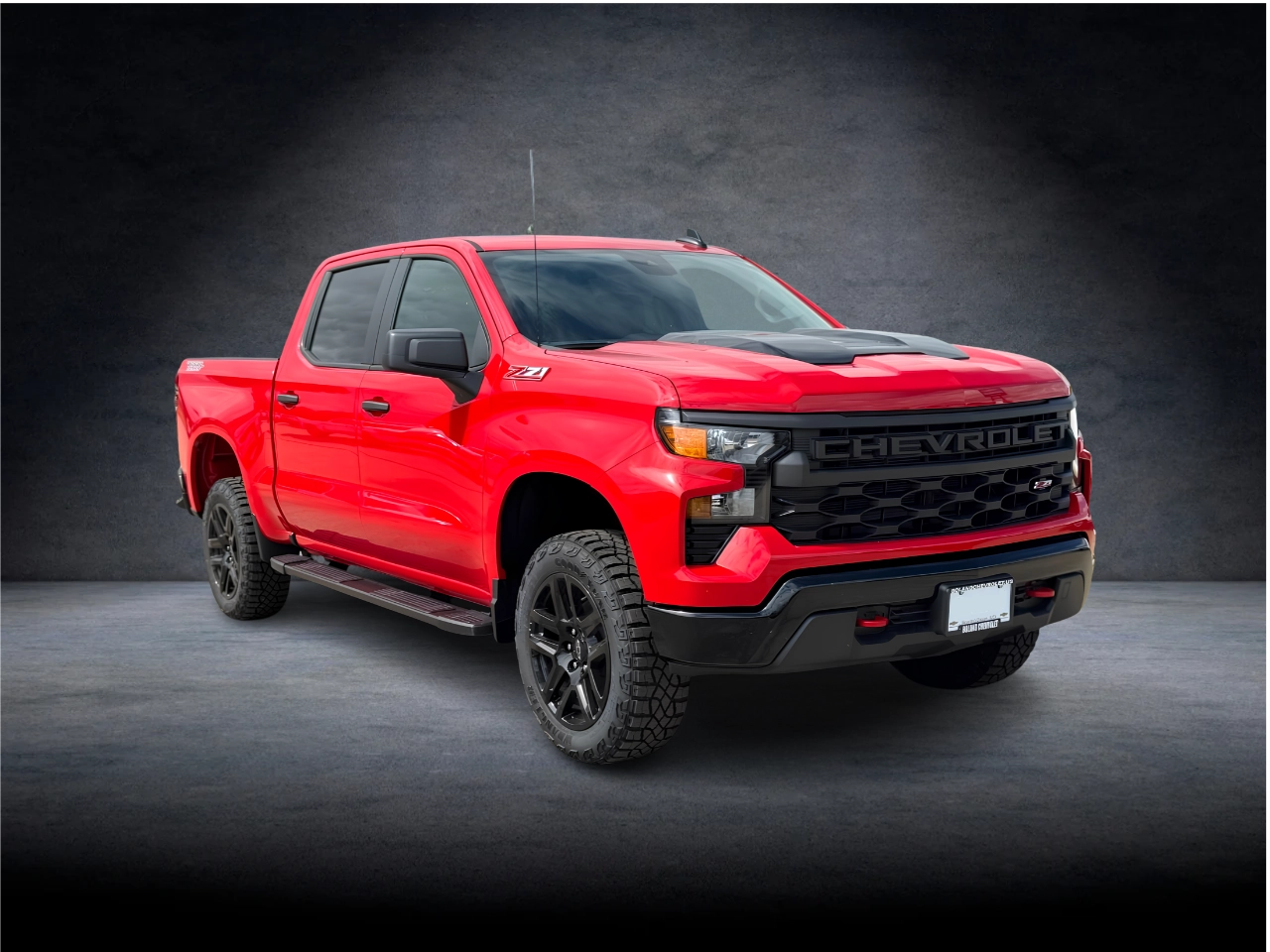
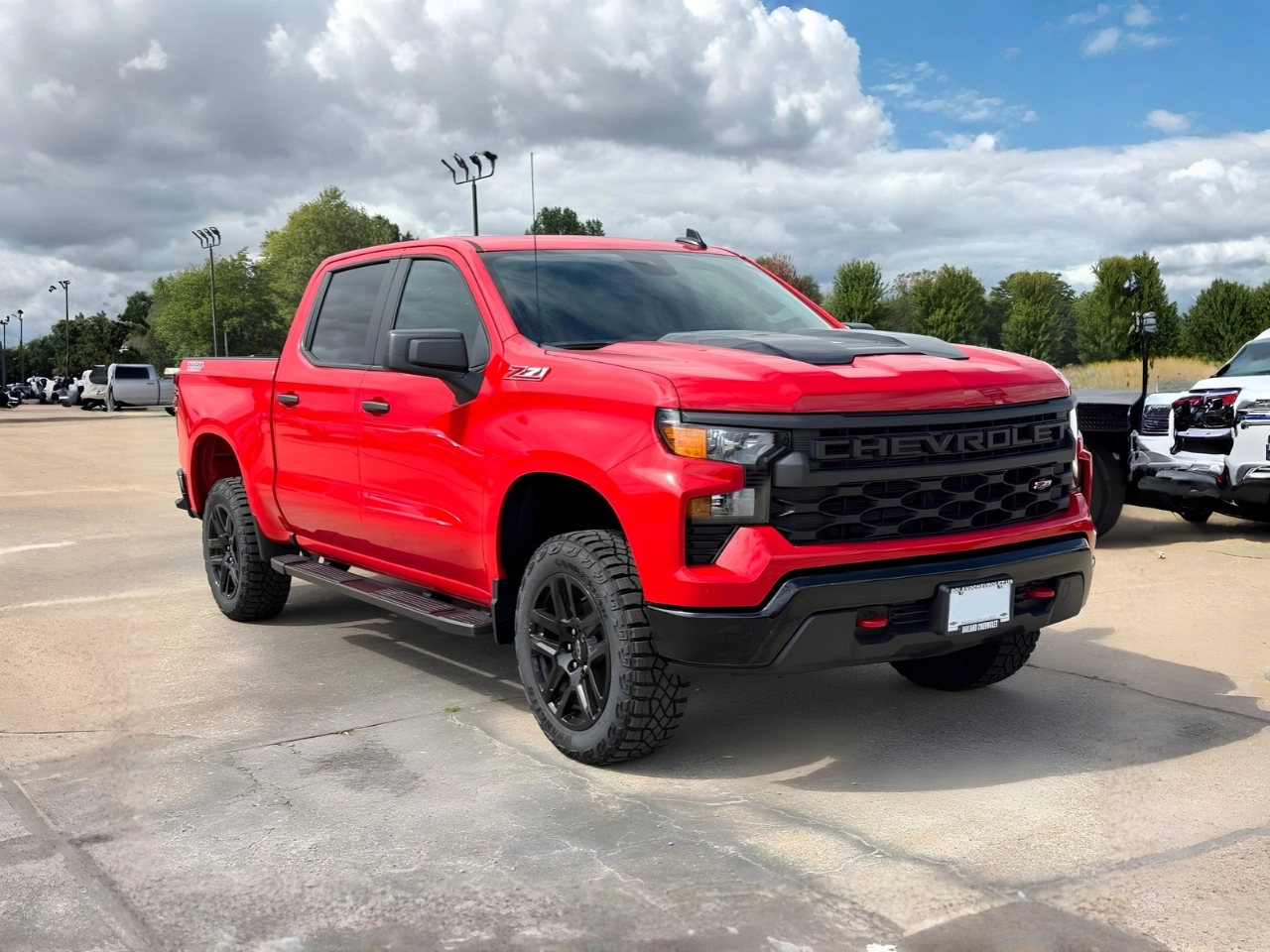
Move the slider to compare the original lot and finished background.
A vehicle photo overlay is a branded frame around each inventory photo. It carries your logo, colors, phone number, website, and address. Start from a premade overlay with your details added, or have a custom overlay designed for your dealership for an additional fee.
Marketing overlays go on top of the frame: status banners like Just Arrived, info badges like One Owner, promotions, and feature callouts. Captions add a line of your own text, with or without a color block behind it. Premade marketing overlays and captions are both included in the Captionator.

VDP carousel inserts are branded images that appear in the photo carousel on your vehicle details pages, alongside the vehicle's own photos. They're added through your photo export feed, so they show up on your website and in the feeds that receive your photos.
Dealers use inserts for service offers, vehicle history reports, home delivery, trade-in offers, and seasonal promotions. Each Vehicle Image Studio setup includes one photo insert.

Your inventory search results page (SRP) is where shoppers browse and compare vehicles before they open a single listing. SRP banner ads place your promotions in those results, so shoppers see them while they scroll.
Use banners to ask for trade-ins, point shoppers to new arrivals, promote a sale or your pricing policy, or share a community cause your dealership supports. Ads that state payment or financing terms need the disclosures required by federal and state advertising rules.

The ListingBuilder addon decodes a vehicle's VIN to fill in its details, then writes the listing description from those details and your dealership's name, location, phone number, and website. Decode a VIN in IIManager or right from the LotPix app.
Generate descriptions one vehicle at a time or automatically, edit them anytime, and let them refresh every two weeks so longer-listed vehicles don't keep the same wording.

A demonstration of the Vehicle Image Studio process. The video shows how dealership inventory images can be prepared and presented using Vehicle Image Studio tools.
Every Vehicle Image Studio setup includes one photo insert, one photo overlay, inventory import and export, IIManager access with buyers guides, window stickers, and Craigslist posting, and a portal site. Add more solutions as your dealership grows.
Independent dealers, franchise stores, buy-here-pay-here lots, dealer groups, and resellers use Vehicle Image Studio across the United States and Canada.
Vehicle Image Studio is built by AutoRevolution, serving dealerships since 1999.
"Our dealership has been using AutoRevolution since 2011. From our spectacular website design to the prompt service with anything email or web related, these guys make our life so much easier! We would never consider another company."
"Our car dealership has been using AutoRevolution as our host and website service provider for a good 20 years and we would not choose anyone else. They have outstanding customer service with immediate feedback and are very personable with responses for requests or any issues. They provide all of the tools we need to automate our inventory, maintain our website, and advertise so we can focus on our own customers better. Big shoutout to Brian and Alex over there for all of their work to help us out!"
"Great place with great service. Always handles all my issues faster than any other company out there."
Download LotPix for iPhone or Android. An IIManager account is required.


From cleaner backgrounds to branded photos, find the tools that fit your dealership. Tell us what you need and our team will follow up with more information.
Share your contact information and the services you're interested in.